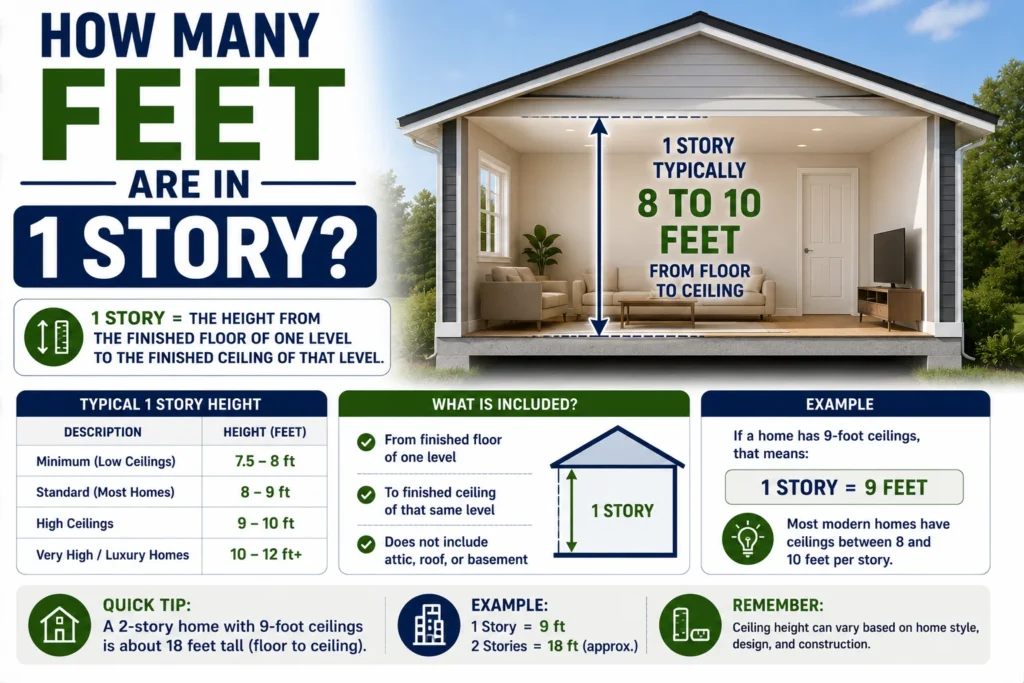
How Many Feet Are in 1 Story? Average Building Height
If you’re wondering how many feet are in 1 story, there isn’t one exact number…
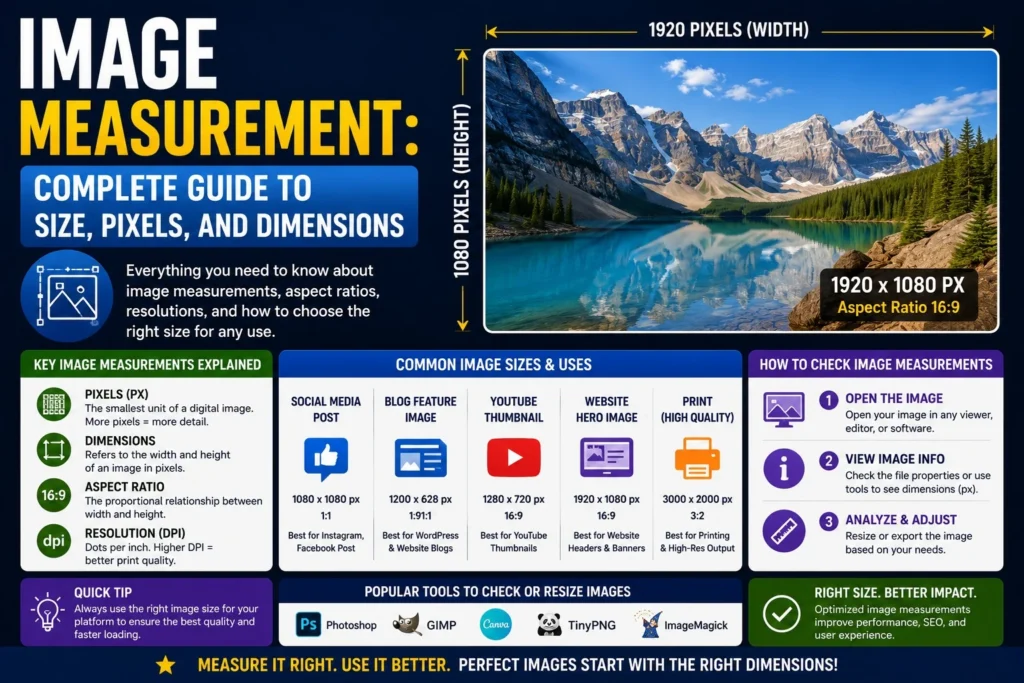
Understanding image measurement is essential if you create content, design graphics, print photos, or upload images online. Many people confuse image size, pixels, file size, and resolution—but each one means something different.
This guide explains image measurement in simple terms so you can choose the right image size for websites, social media, printing, and professional work.
Image measurement refers to the dimensions and quality settings of a digital image. It usually includes:
An image can be measured in multiple ways depending on where it will be used.
For example:
Pixels are tiny squares that make up a digital image.
Example:
That means:
Pixels are the most common unit for screens.
Used mainly for printing.
For example:
Printed size depends on both dimensions and resolution.
DPI = Dots Per Inch
PPI = Pixels Per Inch
Higher DPI/PPI usually means sharper prints.
Common standards:
File size refers to storage space.
Examples:
Large dimensions often increase file size, but compression format also matters.
| Measurement Type | What It Means | Common Use |
|---|---|---|
| Pixels | Width × height | Websites, screens |
| Inches | Physical print size | Printing |
| Centimeters | Metric print size | Printing |
| DPI/PPI | Detail density | Print quality |
| KB/MB | Storage size | Uploading, saving |
Right-click image → Properties → Details
You can see:
Right-click image → Get Info
Most gallery apps show:
Programs like photo editors display:
| Use Case | Recommended Size |
|---|---|
| Blog featured image | 1200 × 628 px |
| Website banner | 1920 × 600 px |
| Instagram square | 1080 × 1080 px |
| YouTube thumbnail | 1280 × 720 px |
| Product image | 1000 × 1000 px |
Choosing the correct image measurement helps pages load faster and look sharper.
| Print Type | Typical Dimensions |
|---|---|
| Wallet photo | 2 × 3 inches |
| Standard photo | 4 × 6 inches |
| Portrait print | 5 × 7 inches |
| Large print | 8 × 10 inches |
| Poster | 18 × 24 inches |
At 300 DPI, required pixel counts rise significantly.
Example:
4 × 6 inches at 300 DPI:
4×300=1200
6×300=1800
So ideal pixel size:
1200 × 1800 px
Aspect ratio is the shape relationship between width and height.
Examples:
An image can be large or small while keeping the same ratio.
Correct image measurement helps with:
Too-small images look blurry. Too-large images waste bandwidth.
If an image is 3000 × 2400 pixels:
At 300 PPI:
3000÷300=10
2400÷300=8
So printable size is:
10 × 8 inches
| Format | Best For |
|---|---|
| JPEG | Photos, web |
| PNG | Transparent graphics |
| WebP | Smaller web images |
| SVG | Logos, vector graphics |
| TIFF | High-end print work |
Format affects file size and quality more than many users realize.
Pixels are digital units. Inches are physical print size.
Large files slow websites.
Small pixel images may print blurry.
Changing width without ratio can distort photos.
Cropping carelessly can remove key content.
Use platform-recommended dimensions.
Use:
Archive originals separately from web versions.
| Goal | Best Measurement Focus |
|---|---|
| Website speed | Pixels + file size |
| Social media | Pixels + ratio |
| Printing | Inches + DPI |
| Archiving | Resolution + format |
| E-commerce | Clean square dimensions |
It refers to an image’s dimensions, resolution, and file size.
Use file properties, gallery details, or editing software.
Often 1200 px wide works well, depending on layout.
300 DPI is a common high-quality standard.
Usually because it has too few pixels for the display or print size.
Understanding image measurement helps you create sharper visuals, faster websites, and better print results. Whether you need pixels for screens, inches for printing, or optimized file size for uploads, the right dimensions make a big difference.
Before uploading or printing your next image, check its image measurement first—and you’ll save time, improve quality, and get better results every time.
If you’re wondering how many feet are in 1 story, there isn’t one exact number…
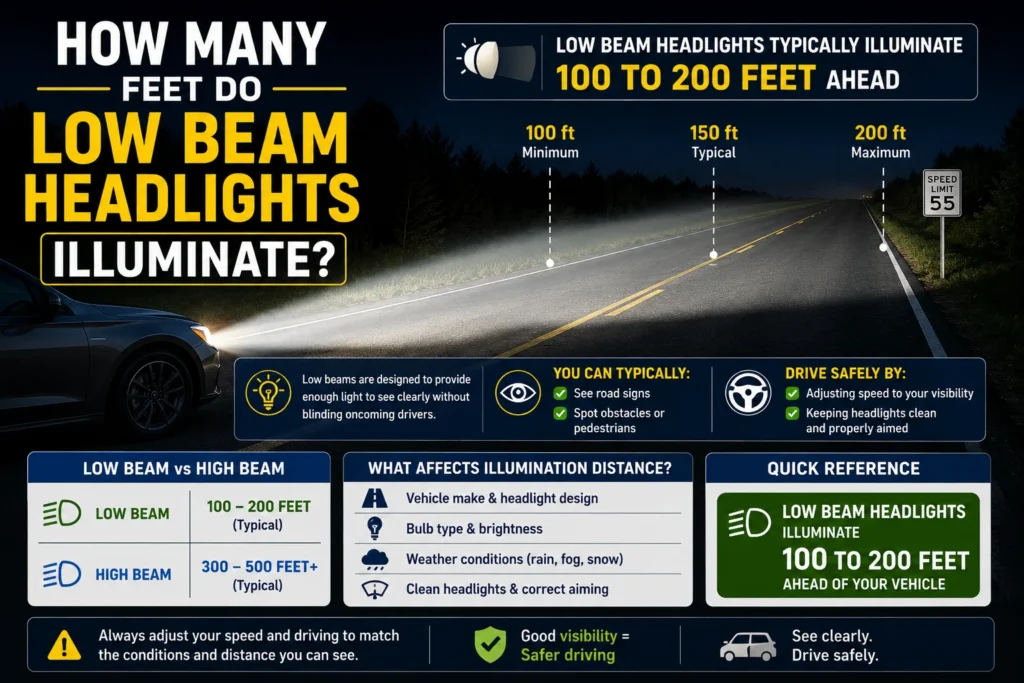
If you’ve ever wondered how many feet do low beam headlights illuminate, the answer depends…
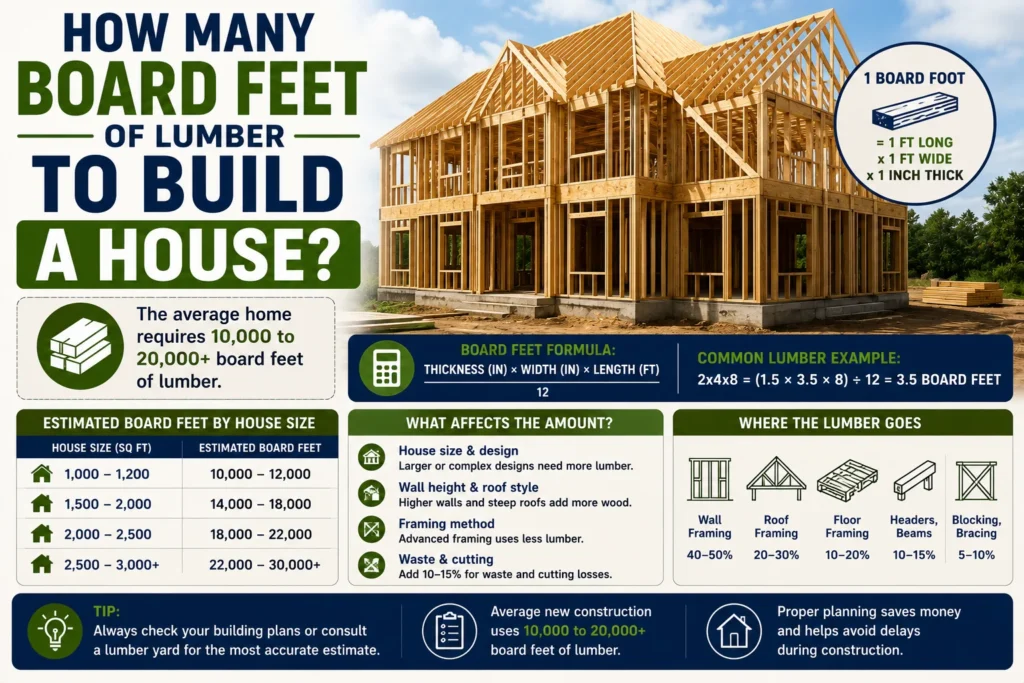
If you’re planning to build a house, one of the most important material questions is…