
Tire Size Meaning: 225/45R17 Decoded + Load Index and Speed Rating Charts
Tire size meaning explained: 225/45R17 decoded step by step, load index and speed rating charts, overall diameter math,…
Quick Answer: A TV’s size is the diagonal of the screen only — corner to corner, not including the frame. A 55-inch TV has a screen 47.9 in wide × 27.0 in high, and the full unit is a little bigger once the bezel is counted: allow roughly 0.5 to 1.5 in of frame across the total width. Every modern TV shares the same 16:9 shape, so the diagonal alone fixes the width and height — the chart below lists them for every common size.
The tape measure comes out the moment a new TV is on the shopping list, because the number on the box is the one measurement that cannot tell you whether the set fits your stand. Sellers quote the diagonal; your furniture cares about width and height. Here are both, plus the two checks that prevent a delivery-day surprise.
All figures below are the screen itself on a 16:9 TV — no bezel, no stand. If lengths in this range feel abstract, our guide to measuring 34 inches shows how they look against furniture.
| TV Size (Diagonal) | Width (in) | Height (in) | Width (cm) | Height (cm) |
|---|---|---|---|---|
| 24 in | 20.9 | 11.8 | 53.1 | 29.9 |
| 32 in | 27.9 | 15.7 | 70.8 | 39.9 |
| 40 in | 34.9 | 19.6 | 88.6 | 49.8 |
| 43 in | 37.5 | 21.1 | 95.2 | 53.6 |
| 50 in | 43.6 | 24.5 | 110.7 | 62.3 |
| 55 in | 47.9 | 27.0 | 121.8 | 68.5 |
| 60 in | 52.3 | 29.4 | 132.8 | 74.7 |
| 65 in | 56.7 | 31.9 | 143.9 | 80.9 |
| 70 in | 61.0 | 34.3 | 155.0 | 87.2 |
| 75 in | 65.4 | 36.8 | 166.0 | 93.4 |
| 80 in | 69.7 | 39.2 | 177.1 | 99.6 |
| 85 in | 74.1 | 41.7 | 188.2 | 105.9 |
Because every 16:9 screen has the same proportions, two multiplications cover every size ever sold:
Width = diagonal × 0.8716 and Height = diagonal × 0.4903
The multipliers are the 16:9 ratio worked through Pythagoras, so they hold for any diagonal — including sizes the chart skips. A 58-inch TV, for example: 58 × 0.8716 = 50.6 in wide, and 58 × 0.4903 = 28.4 in high. The formula runs backwards too: if you have measured a screen’s width, divide it by 0.8716 to recover the advertised size. Try it on your current TV — it lands within a fraction of the box number.
Now measure the space, not the screen. Take the width and height of your stand top, alcove or wall section, and compare them with the chart figures plus the frame. Leave 2 to 3 inches of spare room around the unit: TVs vent heat through their edges, HDMI plugs need space to bend, and a set that only just fits cannot be angled in or out. If the fractions on your tape blur together, our guide on how to read a tape measure decodes every line.
The classic mistake: a 65-inch TV is 56.7 inches of screen, roughly 58 inches with the frame — so surely it fits a 60-inch-wide stand opening? On paper, yes; in the room, no. That leaves under an inch per side: no room to tilt the set into place, no ventilation gap, cables jammed against the side, and on many models the stand feet sit nearly as wide as the screen, becoming the widest point themselves. Treat a 60-inch opening as a near miss — you want at least 62 to 63 inches of clear width. For scale, that opening is exactly 5 feet across; our how many feet is 60 inches guide puts it in room terms.
Wall-mounting instead? The same width check applies, and the bracket’s bolt pattern (the VESA spacing in the spec sheet) must match the set. Mark the screen outline with painter’s tape before drilling — a tape rectangle is easier to move than four bolt holes.
Our other dimension charts follow the same logic, from the standard chip bag size chart to Arizona tea can dimensions.
Bigger is only better if your room gives the picture room to breathe. These ranges are a general guide for mixed viewing — films, sport, news — measured from the screen to where your eyes land. Sit much closer and you will be turning your head; much further and a large screen starts to feel like a small one.
| Screen Size | Comfortable Viewing Distance |
|---|---|
| 32 in | 3.5–5 ft |
| 43 in | 4.5–6.5 ft |
| 55 in | 5.5–8 ft |
| 65 in | 6.5–9.5 ft |
| 75 in | 7.5–11 ft |
| 85 in | 8.5–12 ft |
Between two sizes? If your sofa distance falls in the overlap of two ranges, the larger screen is usually the happier choice for films, the smaller one kinder to a tight room and budget.
Because the 55 inches runs corner to corner, diagonally, across the screen. A diagonal is always longer than the width it spans, so the actual width is 47.9 in and the height 27.0 in. The same ratio applies at every size, which is what the chart above is for.
No — the chart is the screen alone. A stand adds a couple of inches of height and a lot of depth: most TVs sit about 8 to 12 in deep on their stand. If depth or total height is tight in your room, check the “with stand” line on the model’s spec sheet before buying.
It means the size has been rounded for the label. A TV sold as 55-inch class may measure 54.6 in on the diagonal, and its width and height shrink by a few tenths to match. “Class” is the manufacturer’s way of grouping near-identical panels under one tidy number.
Run a tape from one corner of the visible picture to the opposite corner, keeping it on the screen and out of the frame. That diagonal is your TV’s size. Measure straight across separately if you are checking furniture — that second number is the one your stand actually cares about.
Wider than it sounds. The 65-inch screen is 8.8 in wider and 4.9 in taller, and because both dimensions grow together, its picture area is about 40% larger — roughly 1,809 square inches against 1,293. That is why a single step up in size feels like such a leap on the wall.
Tire size meaning explained: 225/45R17 decoded step by step, load index and speed rating charts, overall diameter math,…
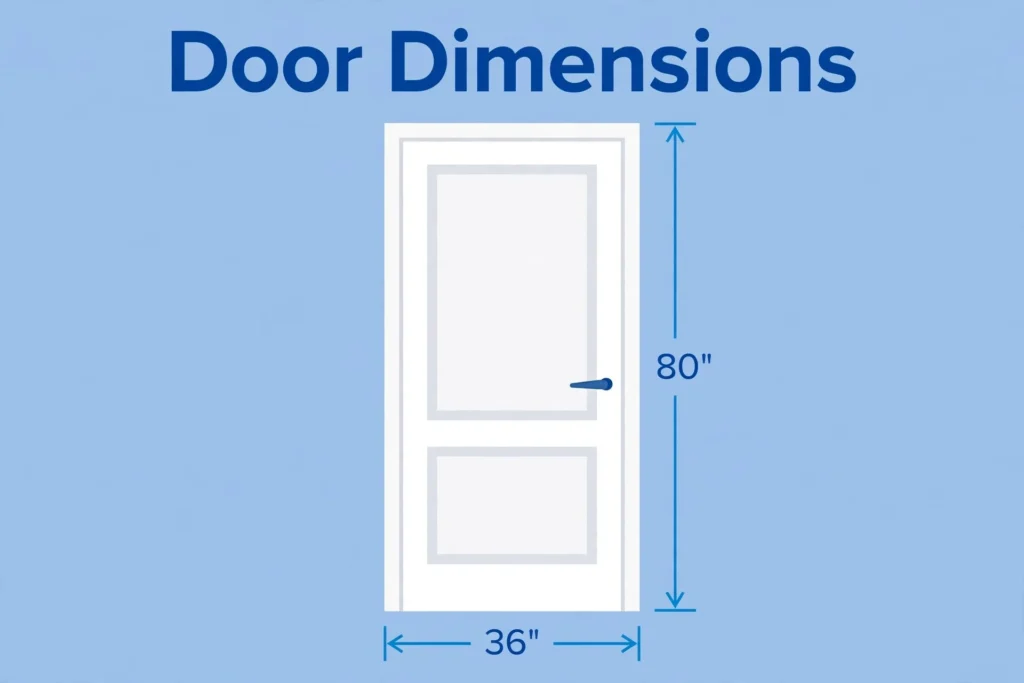
Standard door dimensions: interior 30 or 32 x 80 inches, front door 36 x 80, plus rough opening…

Full paper sizes chart: Letter 8.5x11, Legal, Tabloid, A4 210x297 mm, A3, A5, plus the envelope that fits…